Curiosity4U Logo
CURIOSITY4U
Your Curiosity, Our Solutions
Next-Gen Cloud & On-Premise Virtual Labs

Every lab.
Every student.
Any device.
Ready in seconds.

Browser-based virtual labs for colleges and schools. No installs, no hardware refresh, any device. Each lab comes pre-loaded with the exact tools its domain needs.

Launch Live Demo → labs.curiosity4u.in/welcome
✓ Zero Installation ✓ On-Premise or Cloud ✓ Exam Lockdown ✓ Any Browser
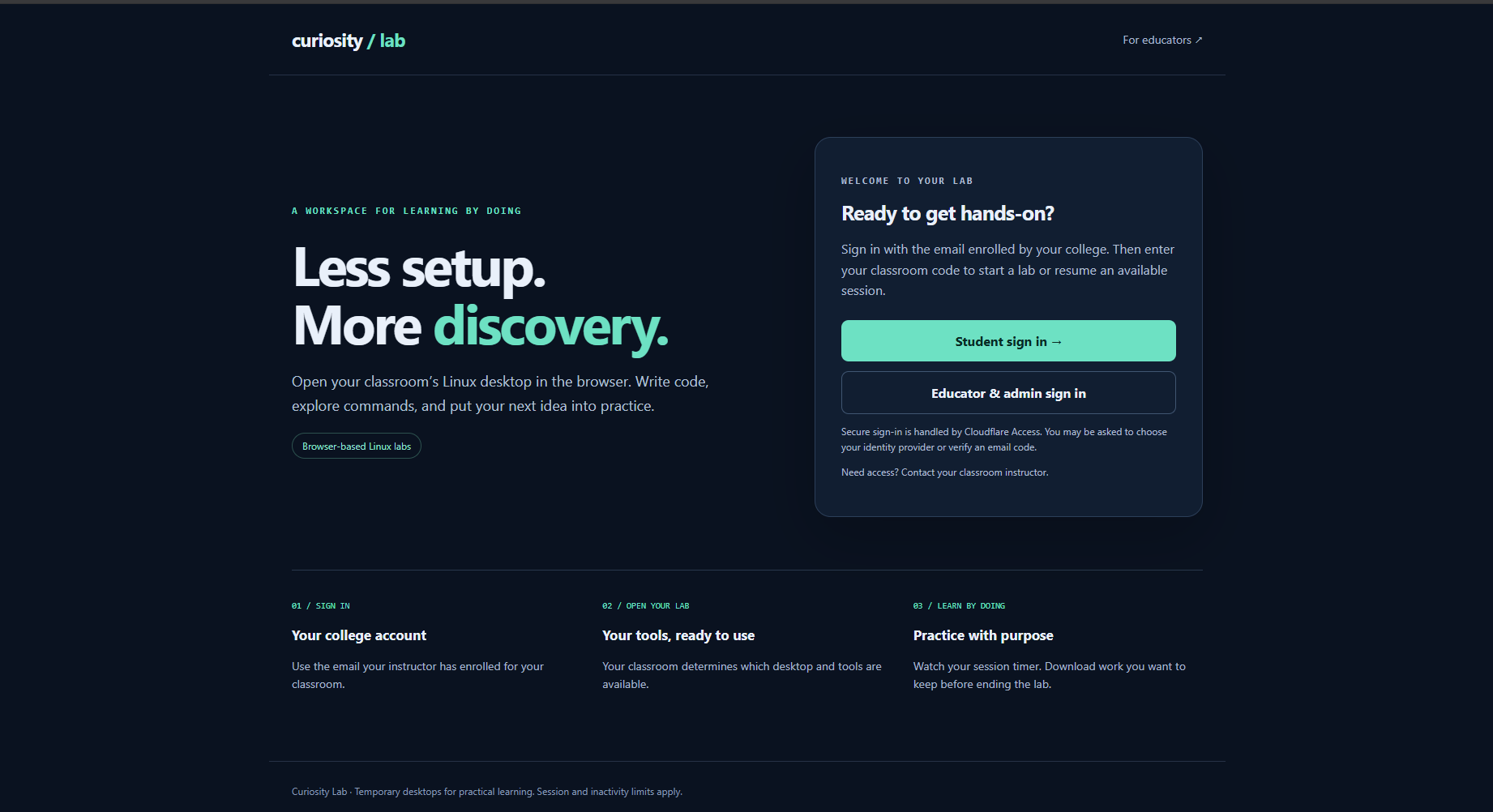
https://labs.curiosity4u.in/welcome
Curiosity Lab Live Portal
QR Code to Live Demo
SCAN TO TRY A LIVE LAB NOW
Open your camera or click: https://labs.curiosity4u.in/welcome
Experience a live Linux & VS Code desktop in your browser in seconds.

02 · The Paradigm Shift

Stop maintaining PCs. Start running labs.

Curiosity4U
✗ Traditional Physical Computer Labs Legacy Model

High Capex. Endless IT Maintenance.

  • Heavy Hardware Refresh Cycles: Outdated PCs struggle to run ROS 2, Docker, or modern security tools.
  • Weeks Lost to Setup: Lab assistants spend days re-imaging OS drives and fixing broken packages.
  • Sized to Peak Headcount: Expensive rooms sit idle after 4 PM while students can't practice from home.
  • Easy Exam Cheating: Uncontrolled USB drives, local files left behind, and shared LAN folders.
✓ Curiosity4U Virtual Lab Modern Cloud / On-Prem

Zero Installs. Instant Browser Access.

  • Runs on Any Existing Device: Smooth full Linux desktop on old PCs, Chromebooks, tablets, or laptops.
  • Pre-Loaded Domain Templates: Every student opens an identical, pre-verified workspace in seconds.
  • Sized to Your Timetable: Provision only for active concurrent seats—not total campus enrollment.
  • Exam-Grade Isolation: Sealed containers with one-click internet lockdown and automatic session wipe.
0 Installs
100% Browser-Native
No client software, plugins, or VPN required on student devices.
<10 seconds
Instant Lab Launch
Students click "Start Lab" and begin coding immediately.
Any Device
Laptop · Chromebook · Tablet · Phone
Heavy compute runs on the server; only the screen streams to the browser.
03 · Zero-Friction Workflow

From setup to coding in four steps.

Curiosity4U
01

Admin Picks Template

Choose Cybersecurity, Robotics, CSE, AI, or customize your own department lab image.

02

Adds Students

Bulk-import student emails via CSV and set persistent or ephemeral storage mode.

03

Students Sign In

Students open the browser link on any device and enter their classroom access code.

04

Lab Ready in Seconds

An isolated Linux desktop & IDE launches immediately—with disconnect resume built in.

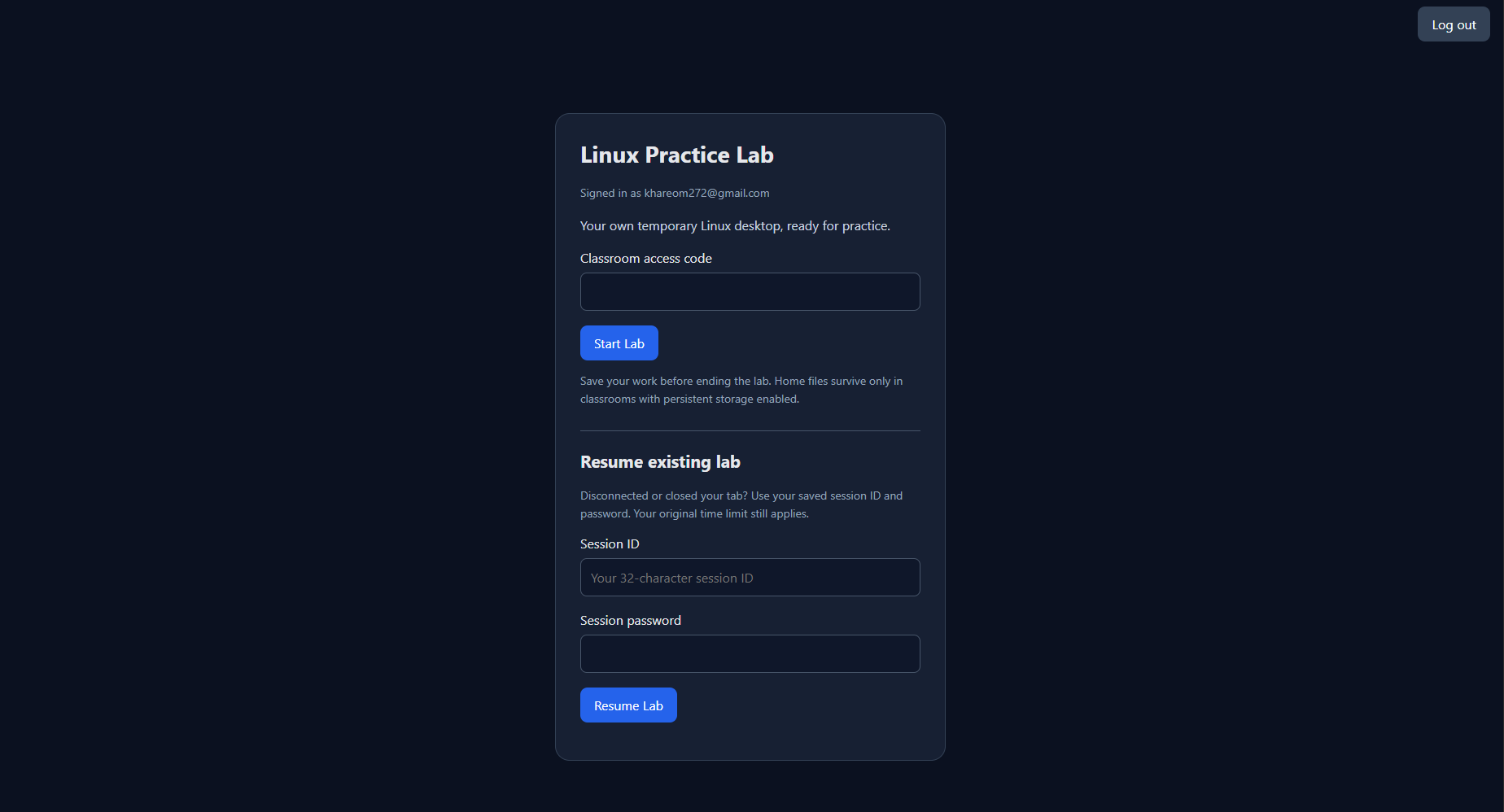
Student Launch Portal — Classroom Code & Session Resume
Student Launch UI
Built for Real Classrooms

Never lose work to a dropped Wi-Fi connection.

If a student closes their tab or loses power, their container keeps running. They simply enter their 32-character Session ID or click Reconnect Desktop to resume right where they left off.

Try Student Sign-In → labs.curiosity4u.in/welcome
04 · Template Marketplace

Pre-loaded templates for every department.

100% Customizable by College Admin
🛡️ Cybersecurity Lab

Penetration testing, packet capture, and ethical hacking in a sealed network.

Kali Toolset Wireshark Nmap Metasploit Burp Suite John the Ripper
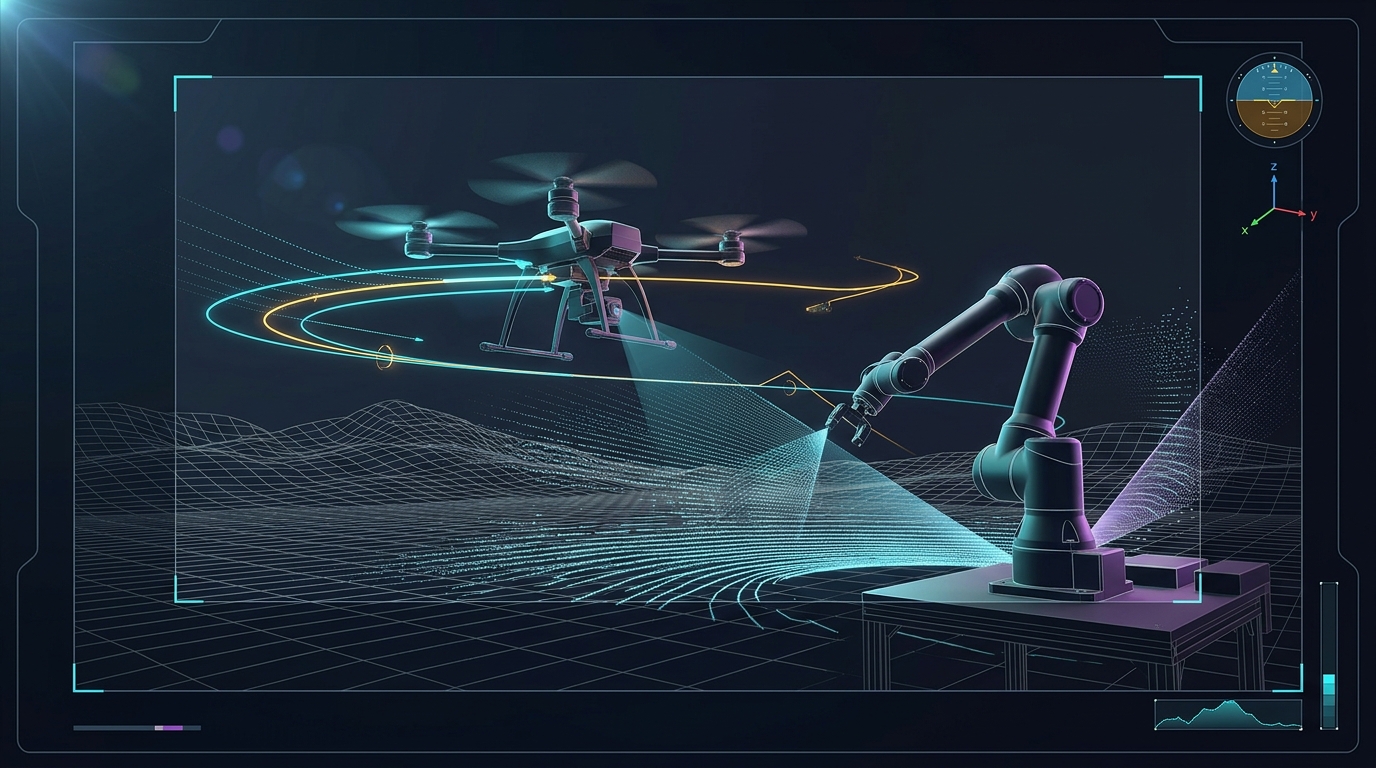
🚁 Robotics & Drone Lab

3D kinematics, autonomous drone flight simulation, and sensor fusion.

ROS 2 Gazebo ArduPilot MAVProxy RViz
💻 CSE / Programming

Data structures, algorithms, OS internals, and full-stack software engineering.

GCC / G++ Python 3 Java / Maven Node.js Git VS Code
🌐 Computer Networking

Routing protocols, virtual switches, DNS diagnostics, and traffic analysis.

Wireshark TShark tcpdump iproute2 dnsutils
🧠 Data Science & AI

Machine learning pipelines, statistical modeling, and visual notebooks.

JupyterLab NumPy Pandas Matplotlib Scikit-Learn
🗄️ Database Systems

Relational schema design, SQL indexing, transactions, and NoSQL stores.

PostgreSQL MySQL SQLite Redis DBeaver / CLI
🔌 Embedded & IoT

Microcontroller cross-compilation, MQTT brokers, and firmware simulation.

PlatformIO Arduino CLI Mosquitto MQTT ARM GCC GDB
⚙️ Build Your Own Lab

Tailor packages, syllabus files, and datasets to your exact university curriculum.

Custom Packages Pre-loaded Datasets Custom IDE Plugins 1-Click Clone
05 · Domain Spotlight — Cybersecurity

Train defenders in a safe, isolated sandbox.

Curiosity4U
cyber-sec-lab · isolated-vlan · root@kali-sandbox:~
Cybersecurity Lab Environment
$ nmap -sV --script vuln 10.20.0.15 && tshark -i eth0 -f "tcp port 443"
Kali-Style Toolset Wireshark Nmap Metasploit Burp Suite John the Ripper

Zero Risk to Campus Networks

Students run real vulnerability scans, packet captures, and password audits inside kernel-isolated containers that cannot reach production campus servers.

No Antivirus Conflicts on Student Laptops

Security tools run in the cloud/on-prem container—never blocked by Windows Defender or macOS Gatekeeper on student machines.

Instant Clean-Slate Reset

Every session starts pristine. If a student breaks system configs during an exploit lab, restarting the session restores a clean image in seconds.

06 · Domain Spotlight — Robotics & Autonomous Drones

Simulate drones without costly workstations.

Curiosity4U
ROS 2 Humble / Iron Gazebo 3D Sim ArduPilot SITL MAVProxy RViz2

Skip Weeks of Broken ROS Installs

ROS 2, Gazebo, and ArduPilot dependencies are pre-compiled and version-matched. Students write flight control code from minute one.

3D Physics Streamed to Any Laptop

Heavy physics and lidar simulations run on your campus server; students interact smoothly from basic laptops or Chromebooks.

Safe Software-in-the-Loop (SITL) Testing

Validate autonomous waypoint navigation, MAVLink telemetry, and obstacle avoidance in software before risking physical drone hardware.

robotics-drone-lab · ROS 2 + Gazebo + ArduPilot SITL
Robotics and Drone Simulation Lab
$ ros2 launch ardupilot_gazebo iris_runway.launch.py && mavproxy.py --master tcp:127.0.0.1:5760
07 · Flexible Storage Architecture

Two storage plans built for your courses.

Curiosity4U
PLAN A · EPHEMERAL Base Price: [Base Price / Student]

Non-Persistent Storage

Best for: Practical examinations, daily coding drills, and shared computer labs.

  • Automatic Session Wipe: All student files and history are permanently erased the moment the session ends.
  • 100% Exam Fairness: Next batch of students never sees code or answers left behind by the previous batch.
  • Zero Disk Maintenance: Server storage never fills up across semesters.
  • One-Click File Export: Students can still download their code before ending a practice session.
Included in Base Plan · Zero storage overhead on your campus server.
PLAN B · PERSISTENT HOME Add-On: [+ Extra Cost / Student]

Persistent Storage

Best for: Semester-long projects, capstone teams, and continuous lab coursework.

  • Files Saved Across Sessions: Each student's /home folder automatically mounts every time they sign in.
  • Enforced Per-Student Quotas: Built-in Disk Guard prevents any single user from exhausting server storage.
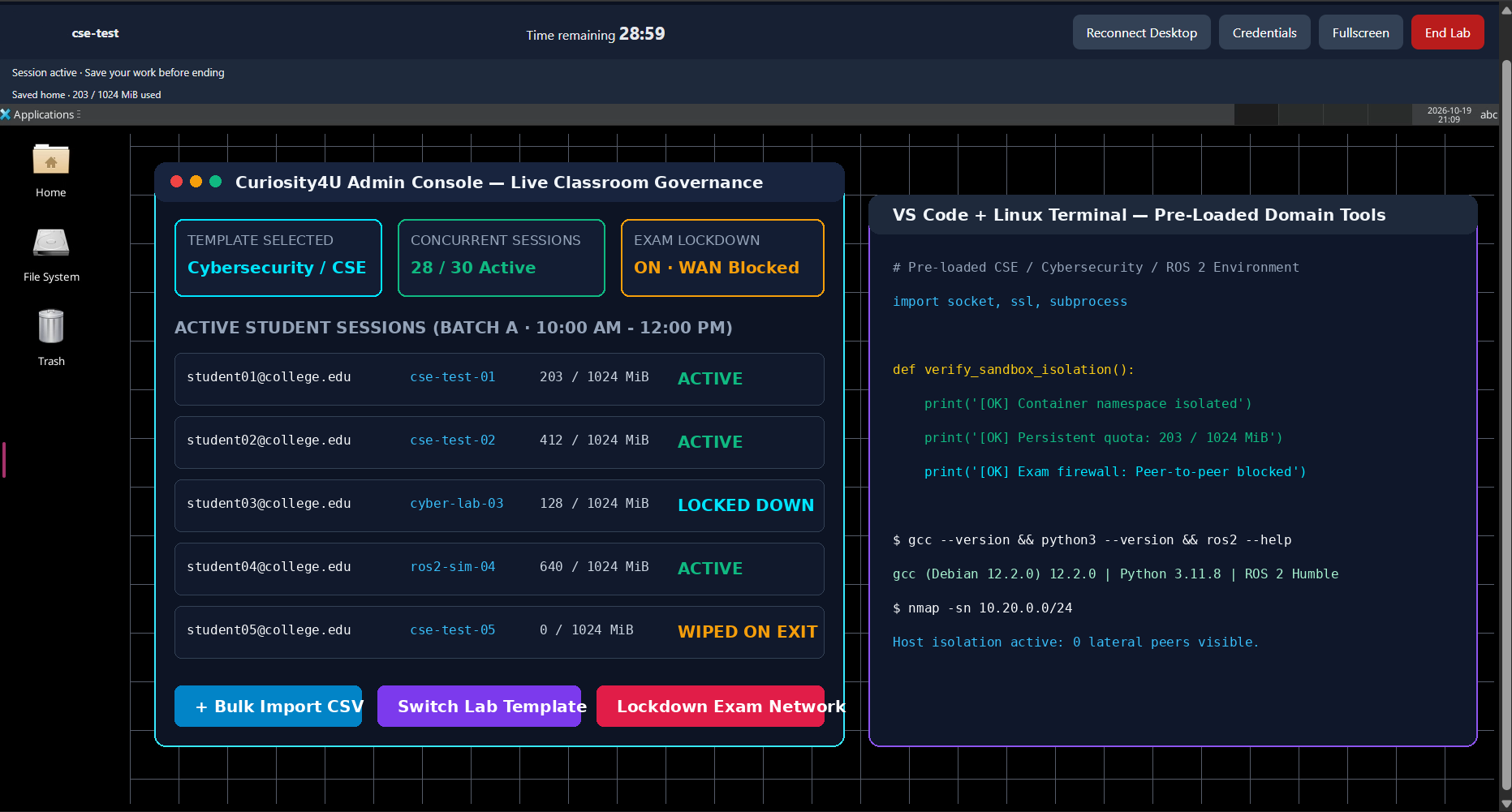
  • Live Usage Visibility: Top bar displays real-time quota usage (e.g., Saved home · 203 / 1024 MiB used).
  • Automated Backups: Snapshot and recovery support for long-running academic portfolios.
Optional Per-Student Upgrade · Mix and match persistent & non-persistent classrooms.
08 · College & School Admin Control Panel

Total classroom control from one screen.

Curiosity4U
Live Session Bar & Admin Governance — cse-test (28:59 remaining)
Live Lab Session Controls
Active Classroom
CSE-301 · Operating Systems
Live Containers
28 / 30 Active
Exam Lockdown
● Enforced (WAN Blocked)
① Add or Remove Students (Bulk Import)

Onboard entire batches via email lists in seconds. Revoke or grant classroom access anytime.

② Start, Stop & Monitor Live Sessions

See every running student desktop, session countdown timer, and RAM/disk usage—or force-stop idle labs.

③ Pick & Switch Lab Templates

Assign Cybersecurity to Morning Batch A and Robotics to Afternoon Batch B with two clicks.

④ Control Exam Network Restrictions

Toggle strict network isolation to block external internet and inter-student traffic during assessments.

09 · Smart On-Premise Capacity Sizing

Size capacity to your timetable, not headcount.

🏢 On-Premise at Your Campus 🔒 Data Stays on Campus
Example Campus Schedule · Only 30 Concurrent Sessions Serve 180+ Students Daily
10:00 AM — 4:00 PM Active Window
10:00 AM – 12:00 PM
Batch A · CSE Programming
30 Concurrent Seats · GCC, Python & VS Code
12:00 PM – 02:00 PM
Batch B · Cybersecurity Lab
30 Concurrent Seats · Same Hardware Recycled
02:00 PM – 04:00 PM
Batch C · Robotics & ROS 2
30 Concurrent Seats · Instant Template Switch

Pay for Active Seats Only

Even if your college has 600 enrolled students, if only 30 attend a lab slot at once, you only provision for 30 concurrent sessions.

100% On-Premise Sovereignty

Deployed directly on your campus server room. Student code, exam submissions, and records never leave your institution.

Scale Up Anytime

Adding a new section or department? Expand from 30 to 60 or 120 concurrent sessions seamlessly as your timetable grows.

10 · Defense-in-Depth Exam Security

Built for strict, cheat-proof practical exams.

Curiosity4U
🛡️

1. Isolated Container Sessions

Every student launches into an independent Linux container with strict CPU, RAM, and disk boundaries. Zero shared folders or cross-session visibility.

🔒

2. Kernel Network Sandboxing

Host-level iptables firewall rules block lateral student-to-student traffic—preventing LAN chat, SSH copying, or local file sharing.

🚫

3. One-Click Internet Lockdown

During practical tests, instructors cut outbound internet and external AI access while keeping the local exam portal and compilers fully active.

🧹

4. Verified Login & Auto-Wipe

Students authenticate with verified college emails and classroom codes. When the exam timer hits 00:00, non-persistent labs wipe automatically.

11 · Low-Risk Campus Evaluation

Test it with your students in four days.

Curiosity4U

No hardware overhaul and zero disruption to your active timetable. Validate Curiosity4U with a live class cohort before making any long-term commitment.

DAY 01

Discovery

15-minute call with your HOD or principal to select one target course, lab template, and batch size.

DAY 02

Setup

Our engineers configure your trial node (on-premise or instant cloud sandbox) with your exact syllabus tools.

DAY 03

Onboarding

Bulk-import your student email list and walk your lab faculty through the 1-screen Admin Control Panel.

DAY 04

Live Class Trial

Students log in from their browsers and run a full practical lab session. Measure speed and faculty feedback.

Ready to see it before scheduling a pilot?
Our live interactive demo environment is online 24/7—no installation required.
Open Live Demo → labs.curiosity4u.in/welcome
Curiosity4U Logo
CURIOSITY4U
Your Curiosity, Our Solutions
12 · Get Started Today

Try it right now.

Scan the QR code or visit the link below from your laptop, tablet, or phone to experience a live browser-based Linux lab in seconds.

https://labs.curiosity4u.in/welcome
Schedule a Campus Demo or 4-Day Pilot
Contact Name:
Curiosity4u Team
Phone / WhatsApp:
+91 9175484379
Email Address:
[email protected]
Website:
www.curiosity4u.in
Live Demo QR Code
SCAN FOR LIVE DEMO
labs.curiosity4u.in/welcome